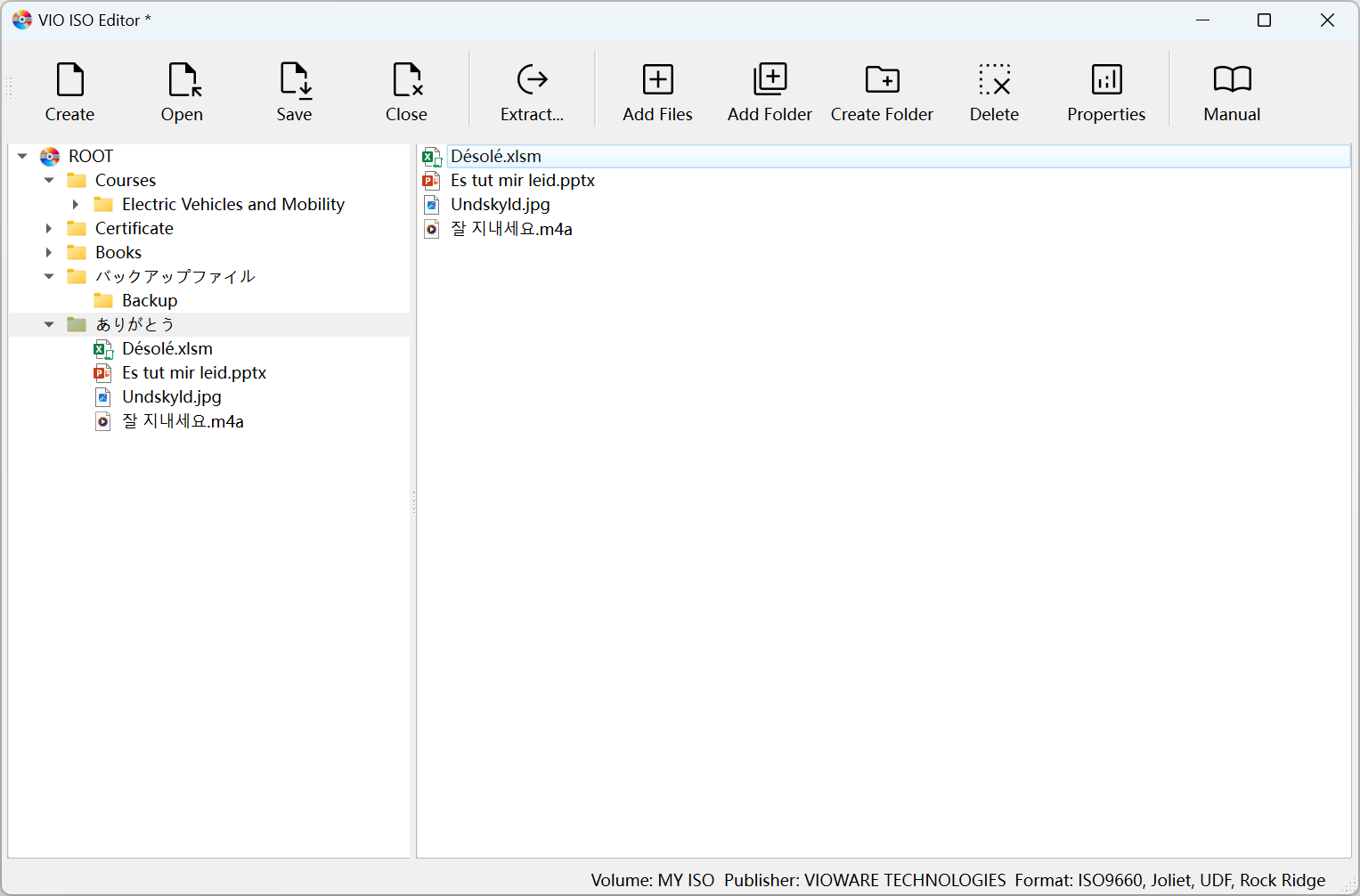
VIO ISO Editor Interface

VIO ISO Editor

Create, Edit ISO Files on Windows and macOS

Create, edit, and manage ISO images with professional-grade tools. VIO ISO Editor provides comprehensive support for multiple ISO standards, ensuring maximum compatibility and flexibility for both personal and enterprise use. VIO ISO Editor excels in handling various ISO formats including ISO9660, Joliet, UDF, and Rock Ridge extensions, allowing you to work with files of any size and maintain compatibility across all major operating systems.

Looking to create ISO files? Learn more about our powerful ISO creation capabilities and how VIO ISO Editor makes it easy to create ISO images from any files and folders.

Edit an ISO in 4 Practical Steps

Designed for everyday modifications without rebuilding from scratch

1
Open ISO
  • Load an existing ISO file
  • Inspect structure in tree and list views
2
Modify Content
  • Add, replace, or delete files
  • Add, replace, or delete folders
3
Update Properties
  • Adjust volume label and publisher
  • Choose standards: ISO9660, Joliet, UDF, Rock Ridge
4
Save Changes
  • Build the updated ISO
  • Track progress for large edits

Downloads

Windows

Windows Edition

  • Windows 10 or Windows 11
  • Version 3.0.3
Download for Windows
macOS

macOS Edition

  • macOS 10.14 or later
  • Version 3.0.3
Download for macOS

Key Features

ISO Standards Support
  • ISO9660 Level 4 support for large images
  • Joliet Level 3 extensions with 64-character Unicode filenames
  • UDF 2.60 support for files larger than 4 GB
  • Rock Ridge 1.09 extensions to preserve UNIX permissions
  • Simultaneous multi-standard mastering in one ISO
  • Automatic filename normalization and validation
Editing Toolkit & Interface
  • Dual-pane interface with tree and list views
  • Drag-and-drop file operations with conflict detection
  • Real-time validation with instant feedback
  • Lossless file and folder extraction from any ISO
  • Progress tracking for large operations
  • Configurable ISO properties (volume label, publisher, etc.)
Popular Editing Tasks
  • Replace outdated binaries with new versions
  • Remove temporary files before release
  • Update README and license documents
  • Reorganize folders for cleaner navigation
Fast Extraction
  • Extract files or entire directories
  • Preserve timestamps and attributes where supported
  • Use dual-pane drag-and-drop to export quickly
Edit vs Recreate
  • Edit for incremental changes and quick patches
  • Recreate for major restructures or format shifts
  • Both workflows supported in one application

Editing FAQs

How do I edit an existing ISO?

Open an ISO, make changes by adding, replacing, or deleting files and folders. Rename and reorganize directories, update volume and publisher identifiers, select standards as needed, then save to build the updated image.

Can I extract files without modifying the ISO?

Yes. Use extraction to copy files or whole directories. Where supported, timestamps and attributes are preserved for reliable export.

Which standards should I use when updating?

Keep ISO9660 and Joliet for broad compatibility. Add UDF for files over 4GB. Include Rock Ridge to retain UNIX permissions when needed.

Need to create a new ISO? Follow the guided workflow in ISO Creator.